
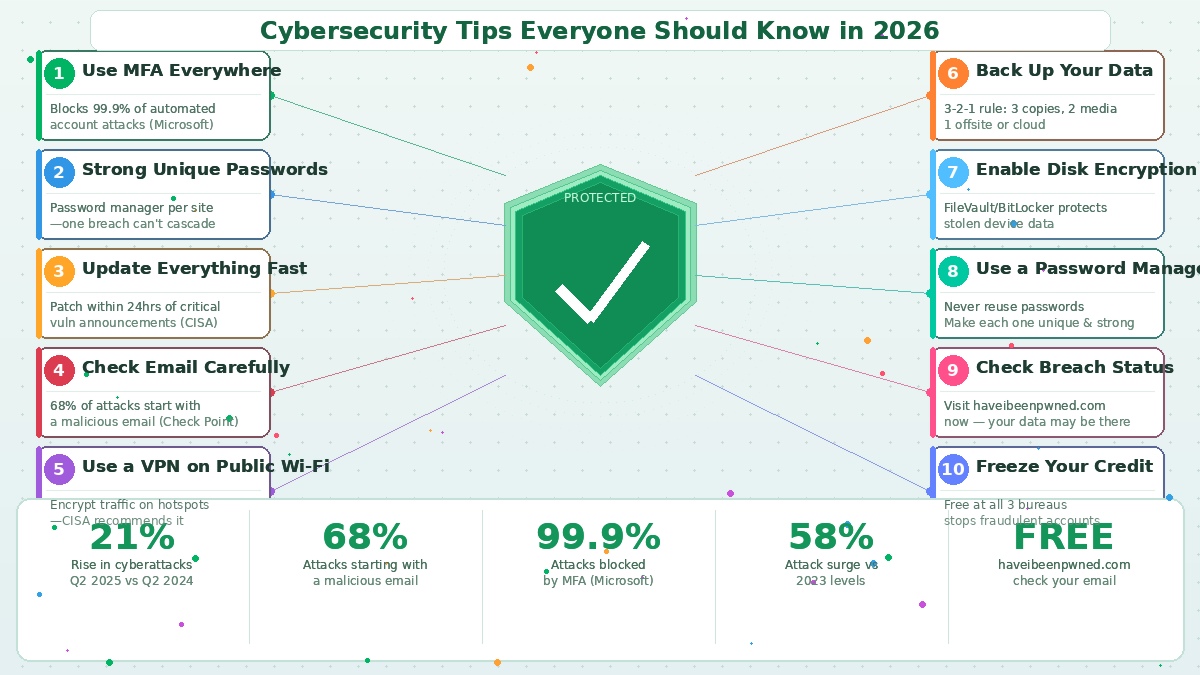
The threat landscape keeps getting worse. Check Point’s 2025 State of Cybersecurity Report found that cyberattacks increased 21% in Q2 2025 compared to the same period in 2024 — and 58% compared to 2023. AI tools have made phishing more convincing, ransomware more automated, and attacks more targeted. The criminals now have better tools than many of the organisations they’re attacking.
But here’s what doesn’t change: the same handful of habits stop the vast majority of attacks. Not sophisticated enterprise security tools. Not expensive consultants. Basic, consistent behaviour that closes the doors hackers rely on most.
These ten tips aren’t theoretical. They’re backed by the data on how real attacks actually happen.
1. Turn On Multi-Factor Authentication — Right Now
This is the single most impactful thing you can do. Microsoft’s research found that MFA blocks 99.9% of automated account attacks. Even if a hacker has your password — through a phishing attack, a data breach, or simply guessing — MFA means they still can’t get in without your phone or authentication app.
Enable it on your email first. Email is the master key to your digital life because password reset links flow through it. Then your bank, social media, and anything with financial or personal data attached. Use an authenticator app rather than SMS if the service offers it — SMS codes can be intercepted through SIM swapping.
2. Use a Different Strong Password for Every Account
If you reuse passwords, one breach cascades into many. Attackers test stolen credentials against every major platform automatically — it’s called credential stuffing, and it works because most people reuse passwords. A breach at a site you’d almost forgotten you used can unlock your email, bank account, and social media simultaneously.
The solution is simple: use a password manager to generate and store unique, complex passwords for every account. You remember one master password; the manager handles everything else. It also won’t autofill on fake websites, which is a useful secondary protection against phishing.
3. Apply Updates Quickly
Unpatched vulnerabilities are the most common entry point for ransomware and malware. CISA maintains a Known Exploited Vulnerabilities catalogue — a list of security flaws that attackers are actively using in real attacks. The time between a vulnerability being disclosed and criminals exploiting it has shrunk to hours in some cases.
Set your devices to update automatically. Don’t dismiss those “update available” notifications. This applies to your operating system, browser, phone, and router firmware — all of them. The software update that takes three minutes to install has prevented more catastrophes than any other single security measure.
4. Treat Every Email With Appropriate Scepticism
68% of all cyberattacks originate from malicious emails, according to Check Point’s 2026 data. AI-generated phishing messages are now fluent, personalised, and convincingly mimic the brands you actually use. The “look for bad grammar” advice is dangerously outdated.
The rule that still works: never let an email be the navigation tool you use to reach sensitive websites. If you receive an email from your bank, don’t click the link — open your browser, type your bank’s address directly, and log in from there. Check the sender’s actual email domain, not just their display name. And treat any email that creates urgency — “your account will be locked in 24 hours” — as a red flag rather than a reason to act fast.
5. Use a VPN on Public Wi-Fi
Most public Wi-Fi networks in 2026 are safer than they used to be — the majority of websites use HTTPS encryption. But a VPN adds an additional layer, encrypting all your traffic so that even if the network is compromised, your data isn’t readable. CISA recommends caution with wireless connections when travelling or working from public spaces.
The practical habit: use a reputable VPN on hotel, café, airport, and any other public network, particularly when accessing banking, work systems, or sensitive accounts.
6. Back Up Your Data — The Right Way
Ransomware’s leverage is simple: your data is encrypted, and you have no copy. Remove that leverage and ransomware loses most of its power. The industry standard is the 3-2-1 rule: three copies of your important data, on two different types of media, with one stored offsite or in the cloud.
In practice for most people: your files on your computer, an external hard drive, and a cloud backup service. The external drive should be disconnected from your computer when not in use — ransomware can encrypt connected drives. Test your backups periodically. A backup you’ve never tried to restore from is just a guess.
7. Enable Disk Encryption
If your laptop is stolen or lost, disk encryption ensures the thief gets a brick rather than your files, photos, and documents. macOS users should enable FileVault; Windows users should enable BitLocker. Both are built-in, free, and take minutes to set up. On modern devices, the performance impact is negligible.
This is particularly important for anyone who travels with a laptop or handles sensitive work data.
8. Use a Password Manager (Seriously)
This deserves its own entry beyond the password advice. Password managers don’t just store passwords — they’re the infrastructure that makes good security habits actually practical. Without one, using unique strong passwords for 100+ accounts is genuinely impossible. With one, it’s automatic.
Options like Bitwarden (free), 1Password, and NordPass are straightforward to set up and save far more time than they take. If you’re still using the same three passwords everywhere, this is the single habit change that closes the most doors simultaneously.
9. Check Whether Your Data Has Been Breached
Visit haveibeenpwned.com and enter your email addresses. This free service, run by respected security researcher Troy Hunt, shows every known data breach your email has appeared in. Most people find multiple breaches they didn’t know about. If your credentials from a 2018 breach are sitting in dark web marketplaces, they’re still being tested against accounts today.
If you find your email in breach data, change passwords for any account where you used the same credentials from that era. Treat it as a maintenance task, not a panic — this is just the reality of the internet in 2026.
10. Freeze Your Credit
This one is free, permanent until you lift it, and stops fraudulent accounts from being opened in your name. Contact all three major credit bureaus — Equifax, Experian, and TransUnion — and request a security freeze. When a freeze is in place, new credit accounts cannot be opened using your identity, even if someone has your Social Security number and personal details.
A credit freeze doesn’t affect your existing accounts or your ability to use your current cards. It just makes identity-based financial fraud dramatically harder. Given that billions of personal records have been exposed in data breaches over the past decade, this is cheap insurance with essentially no downside.
The Underlying Principle
None of these tips require technical expertise. They require consistency. The organisations and individuals who stay secure in 2026 aren’t the ones with the most expensive tools — they’re the ones who’ve built the right habits and actually apply them.
The attackers are counting on inertia. Every one of these tips is a door they can no longer walk through.
